LISTINGS
8 Free Ghibli Style Art Generators Online Now (2025)
Transform photos into Ghibli-style art for free! Discover 8 Ghibli-style art generators in this blog. Unleash the Hayao Miyazaki in you with the help of AI.

Published Date:
May 6, 2025
Last Modified:
Jul 17, 2025
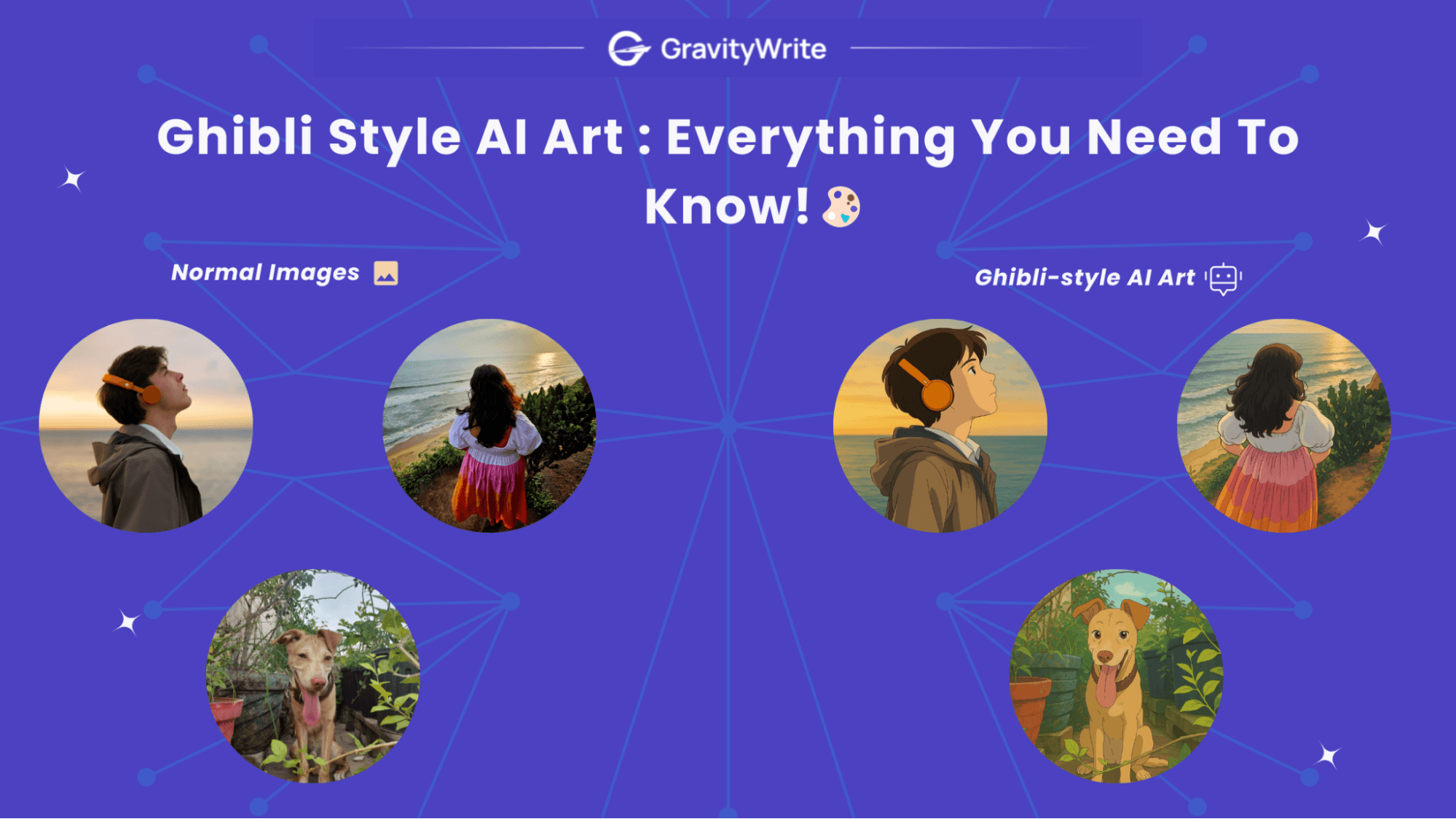
Intrigued by all the stunning Ghibli-style art trending online right now? Wondering how you can easily create that dreamy, animated magic yourself?
Good news – you don't need complex art skills or expensive software! Powerful online AI tools enable anyone to convert images into a Ghibli style, capturing that beloved hand-drawn look from their pictures.
Imagine effortlessly transforming your favorite selfies, pet photos, or landscape shots into captivating Ghibli-style art. Picture sharing unique, eye-catching creations, all made using completely free editors!
Ready to turn your photos into Ghibli masterpieces? This guide reveals 8 Free Ghibli-style art AI Image Editors you can use online right now. Read on to discover the best tools to bring that enchanting Ghibli charm to your photos today!
If you’re interested in generating AI images, you may also want to explore my curated list of the best AI image generators that offer diverse styles and powerful customization options for all kinds of creative image generation.
8 Ghibli Style Art Generators To Try Right Now!
Cutting to the chase, here are the Ghibli-style AI editors available online that you need to try right now.
| S. no | Tool Name | Free Plan Credits | Watermark-Free? | Ghibli Styles Available | Image Customization | Notable Features | Paid Plan Pricing |
|---|---|---|---|---|---|---|---|
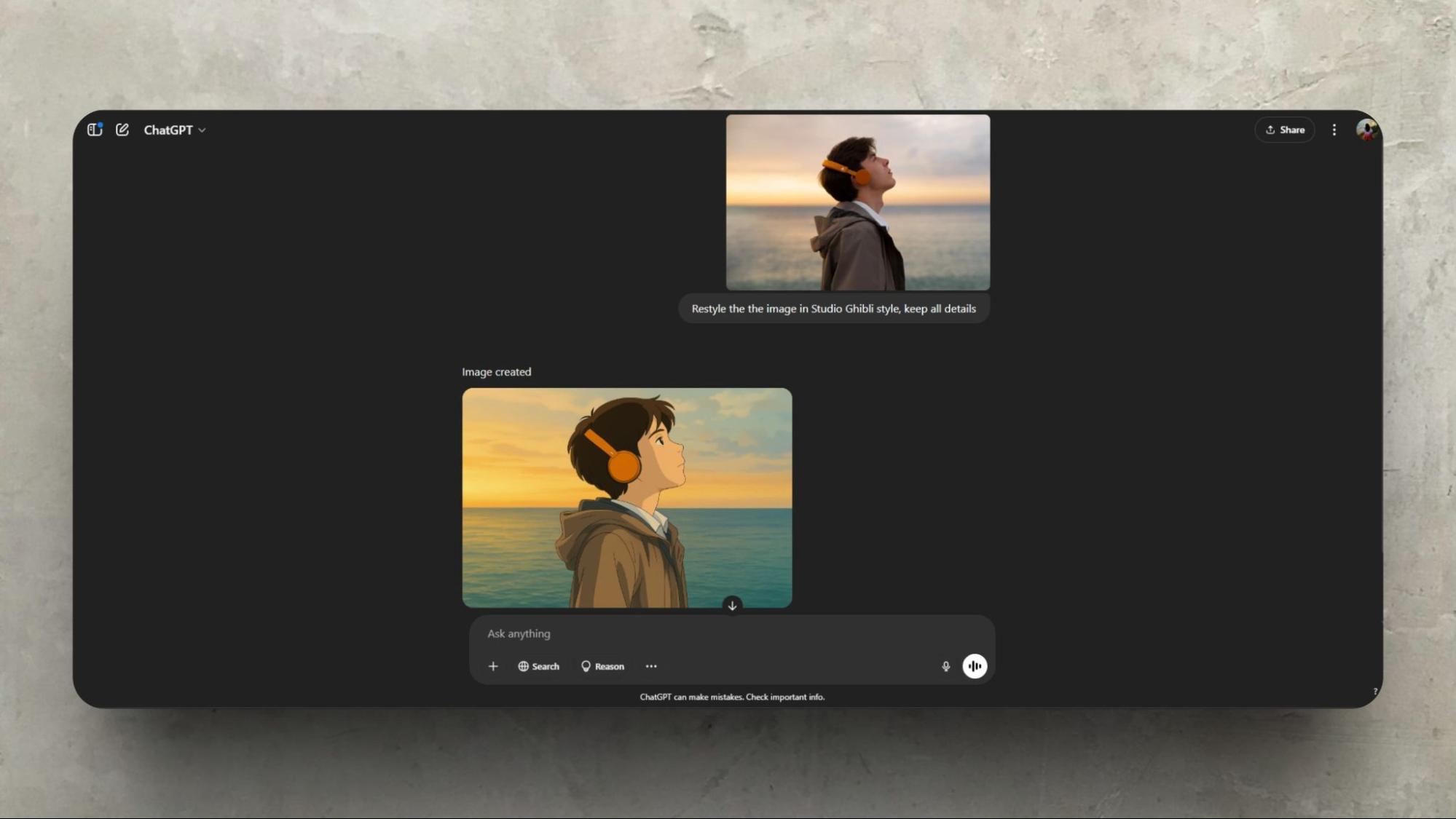
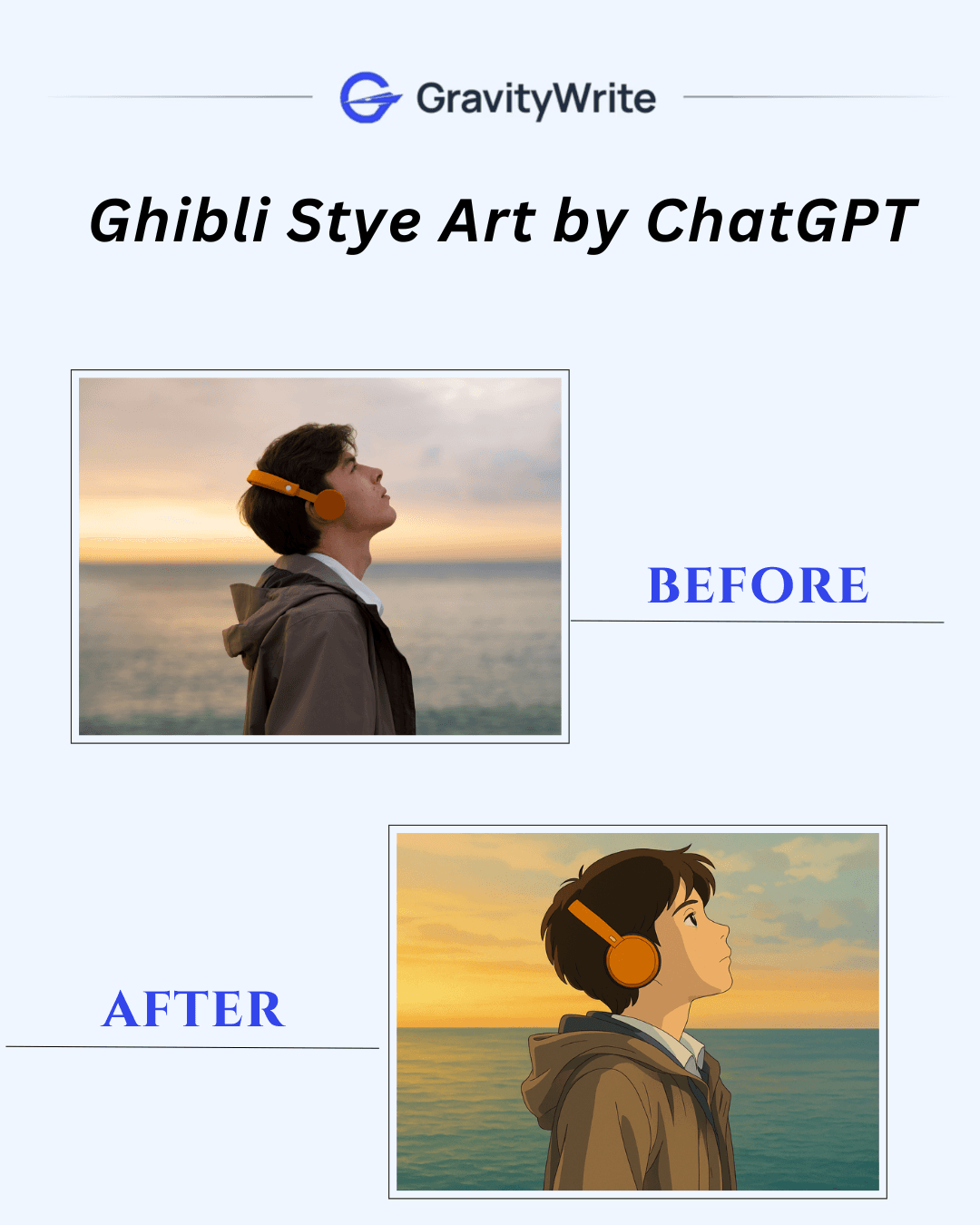
| 1 | ChatGPT | Limited (varies) | ✅ | Prompt-based only | ❌ | Watermark-free, prompt-based generation | Plus: $20/mo, Team: $25/mo, Pro: $200/mo |
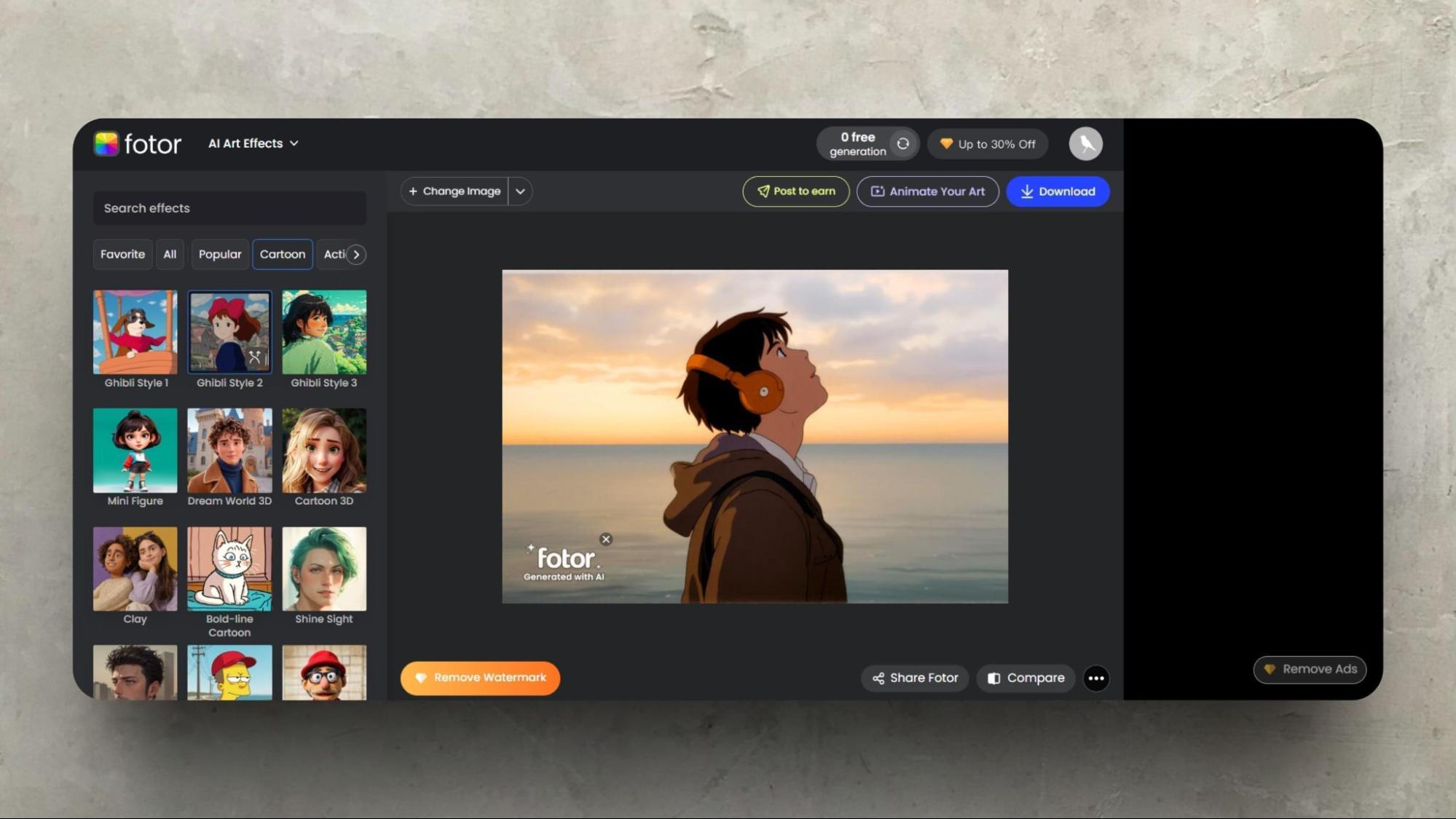
| 2 | Fotor | 1/day (with watermark) | ❌ | 3 Ghibli styles | ❌ | All-in-one editor with AI filters | Pro: ₹229/mo, Pro+: ₹499/mo |
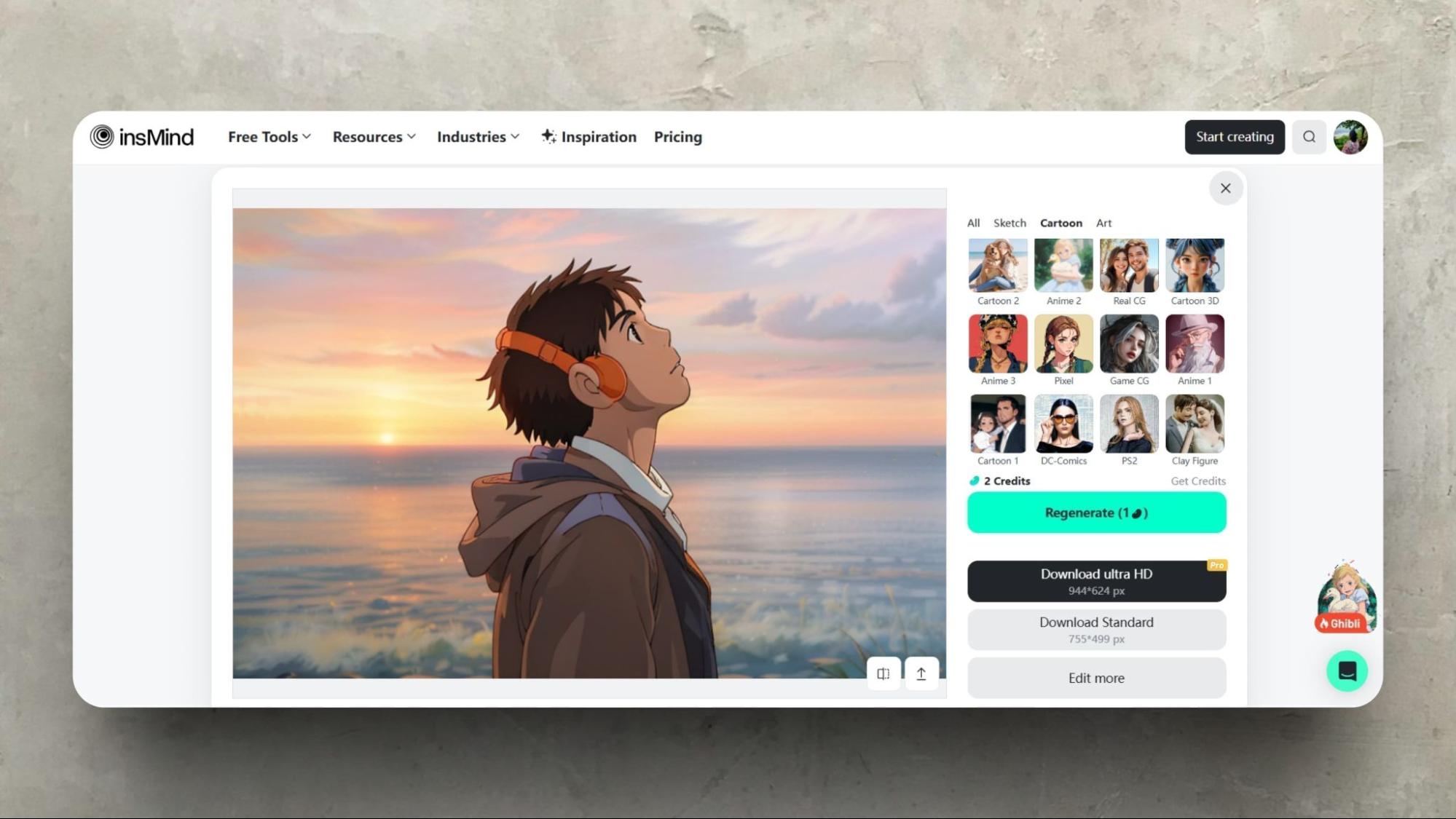
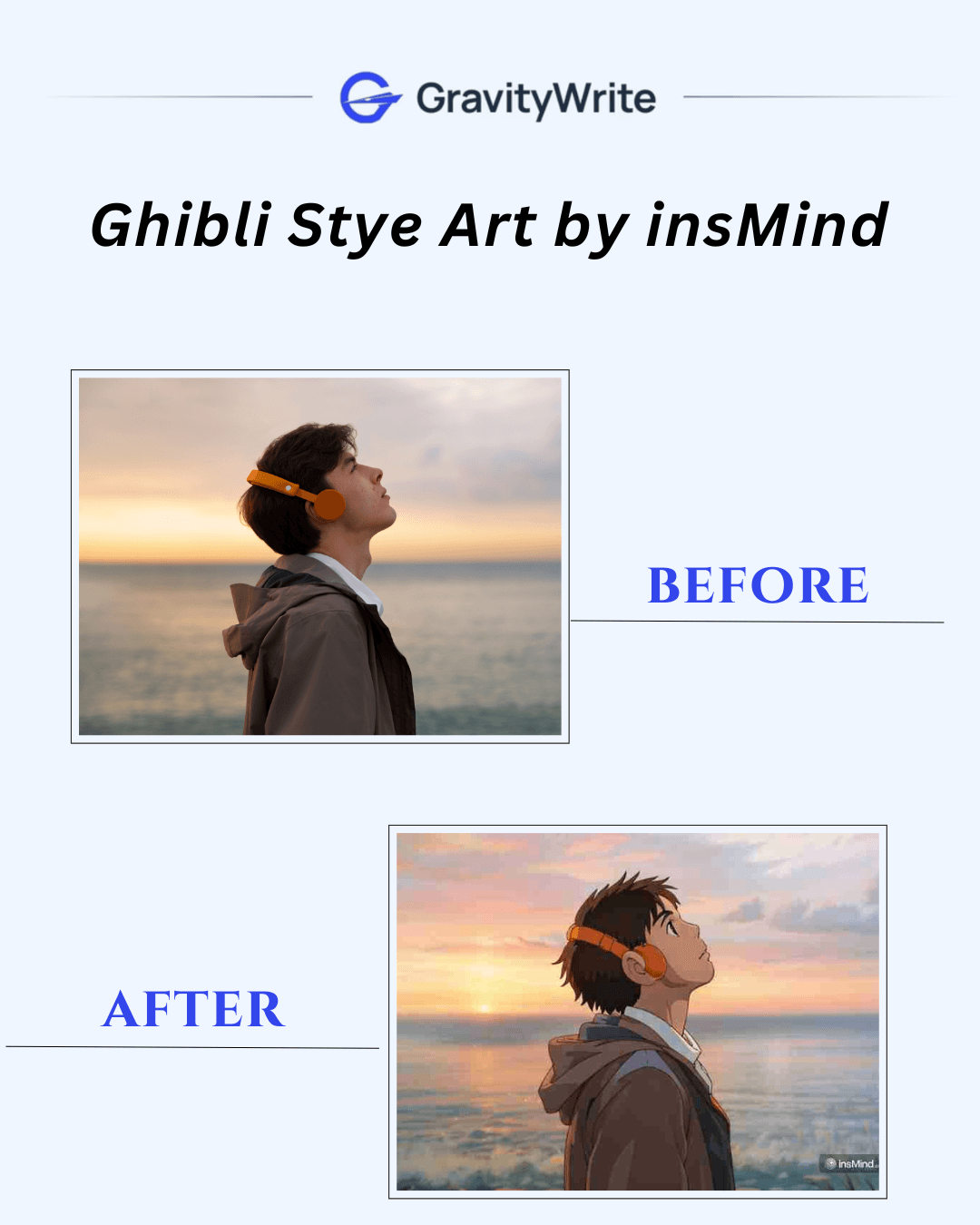
| 3 | insMind | Limited credits | ❌ | Multiple | ❌ | Easy Ghibli filter, vibrant results | Monthly: $2.99, Yearly: $20.99 |
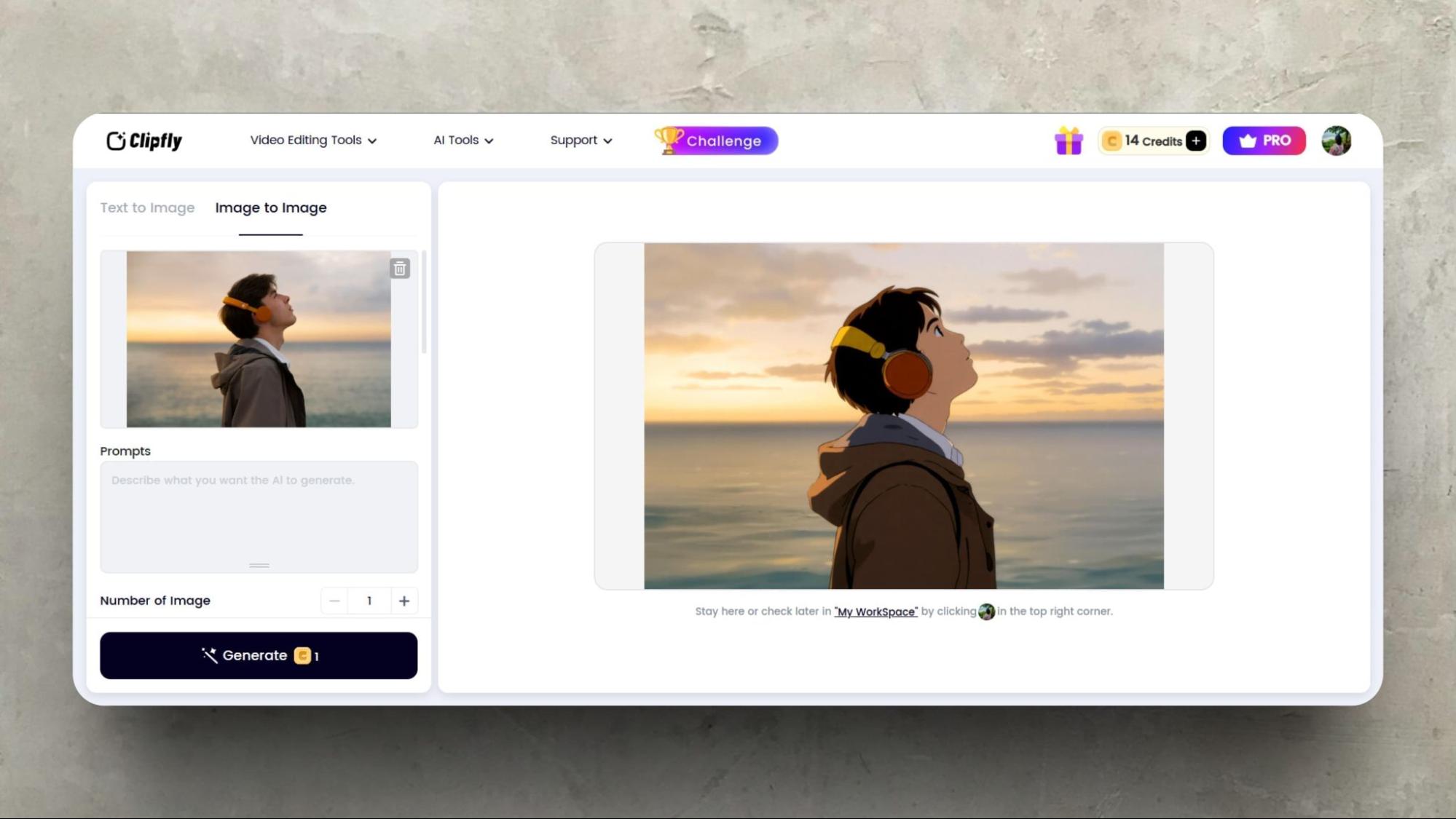
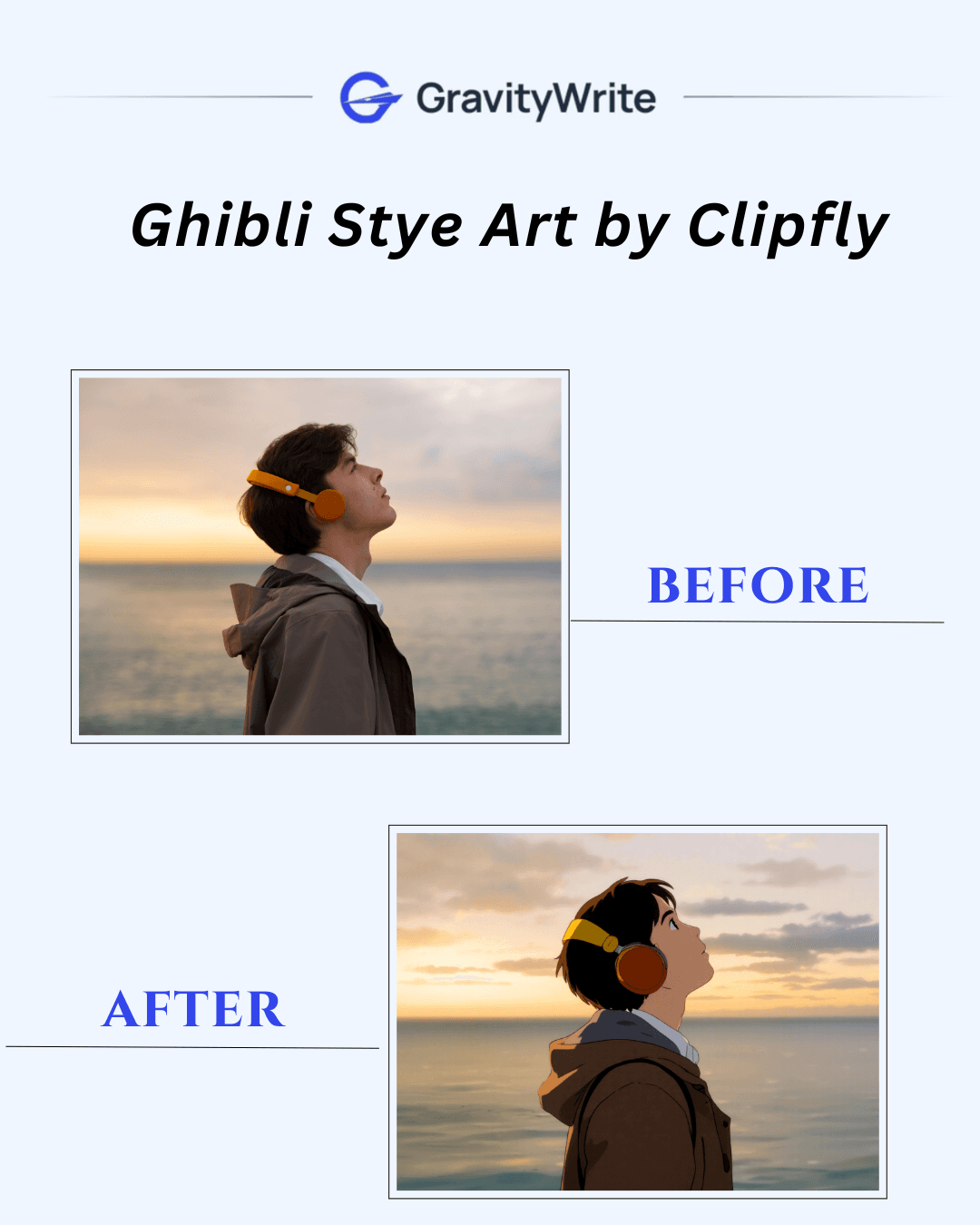
| 4 | Clipfly | 15 credits | ✅ | 2 Ghibli styles | ✅ | Ghibli style for images & video, prompt input | Monthly: $12.99, Quarterly: $5.00 |
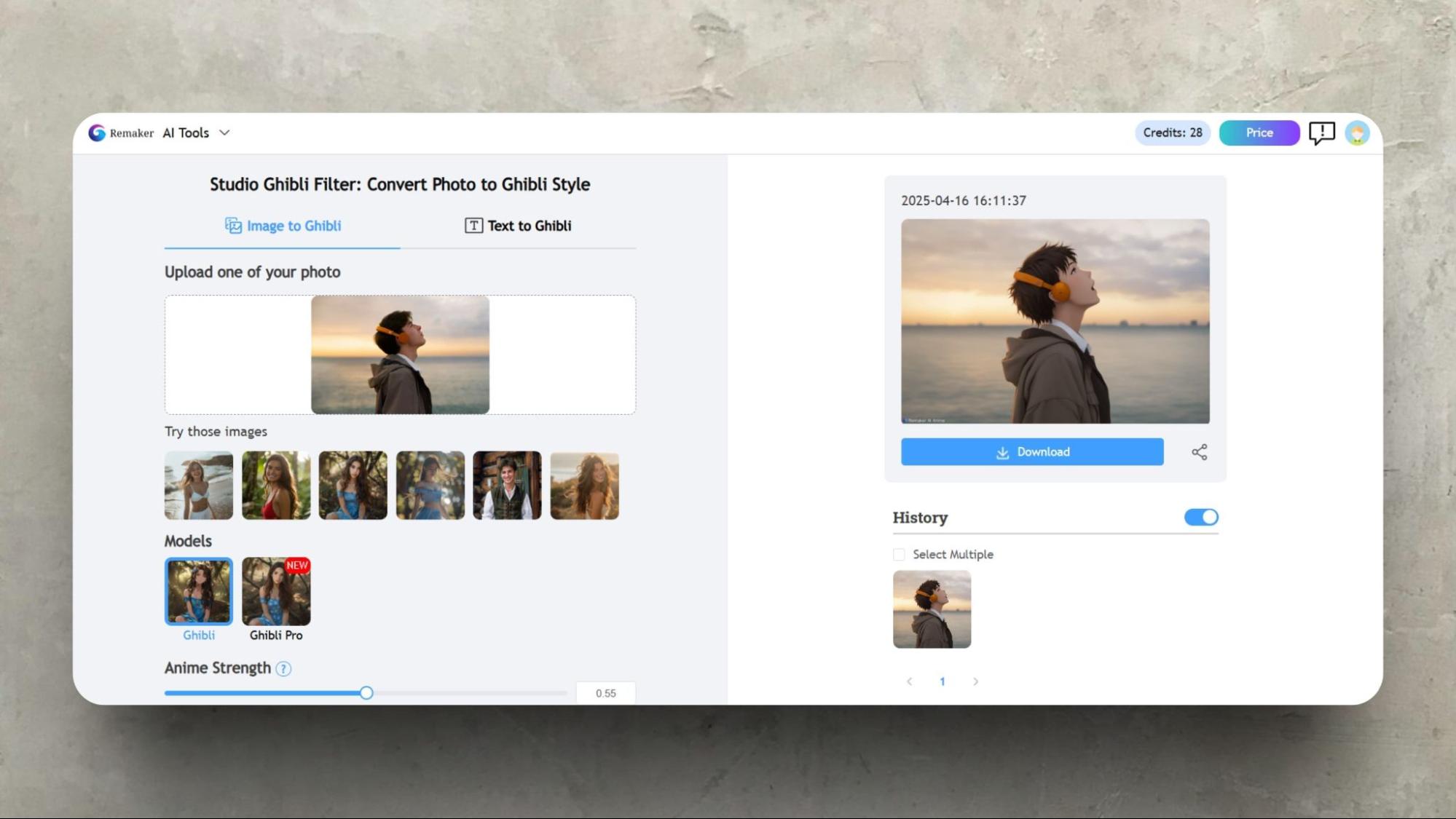
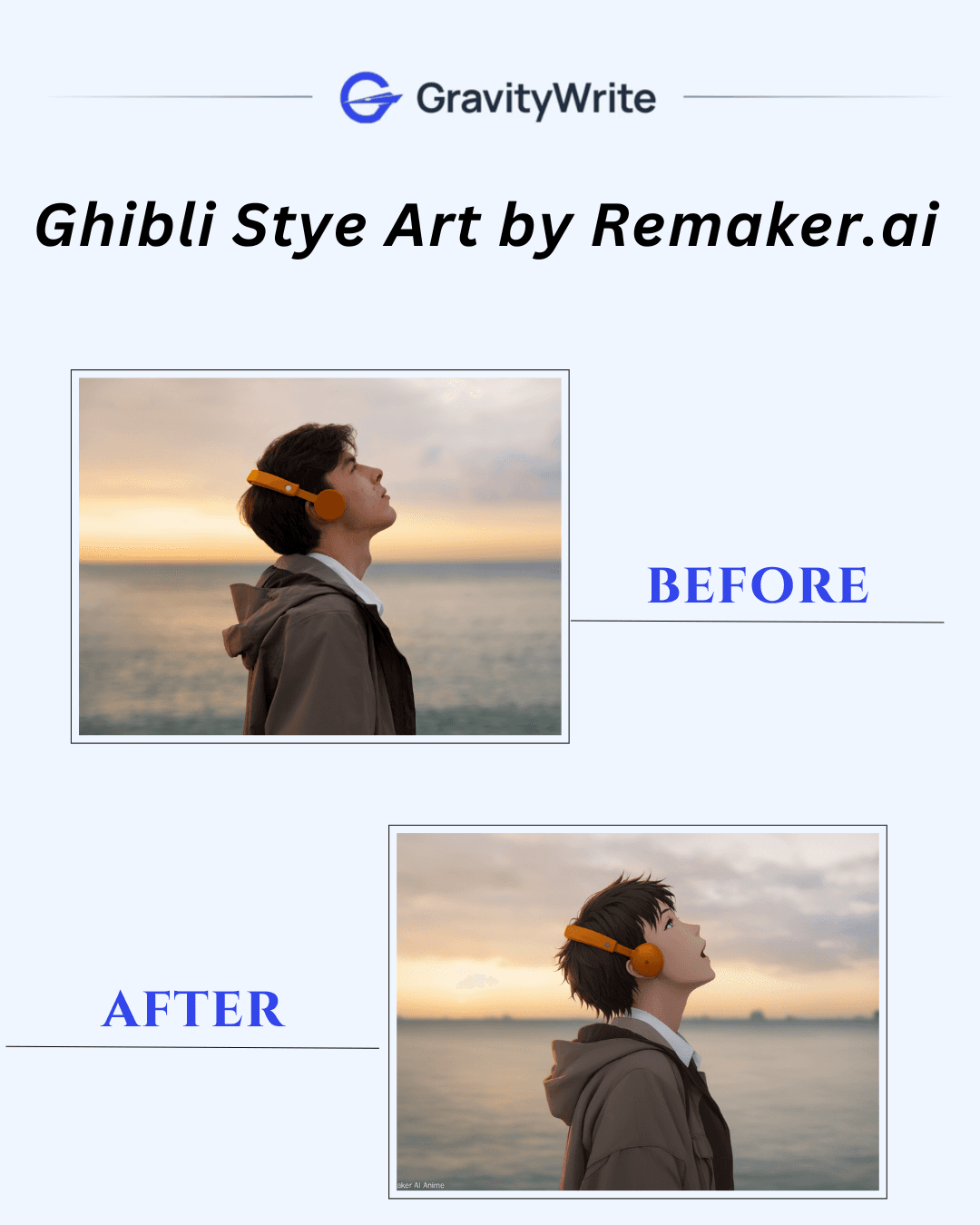
| 5 | Remaker AI | 30 credits | ❌ (free tier) | 2 (Regular & Pro styles) | ✅ | "Anime Strength" slider, realistic output | $2.99 (150 credits) to $299 (20,000 credits) |
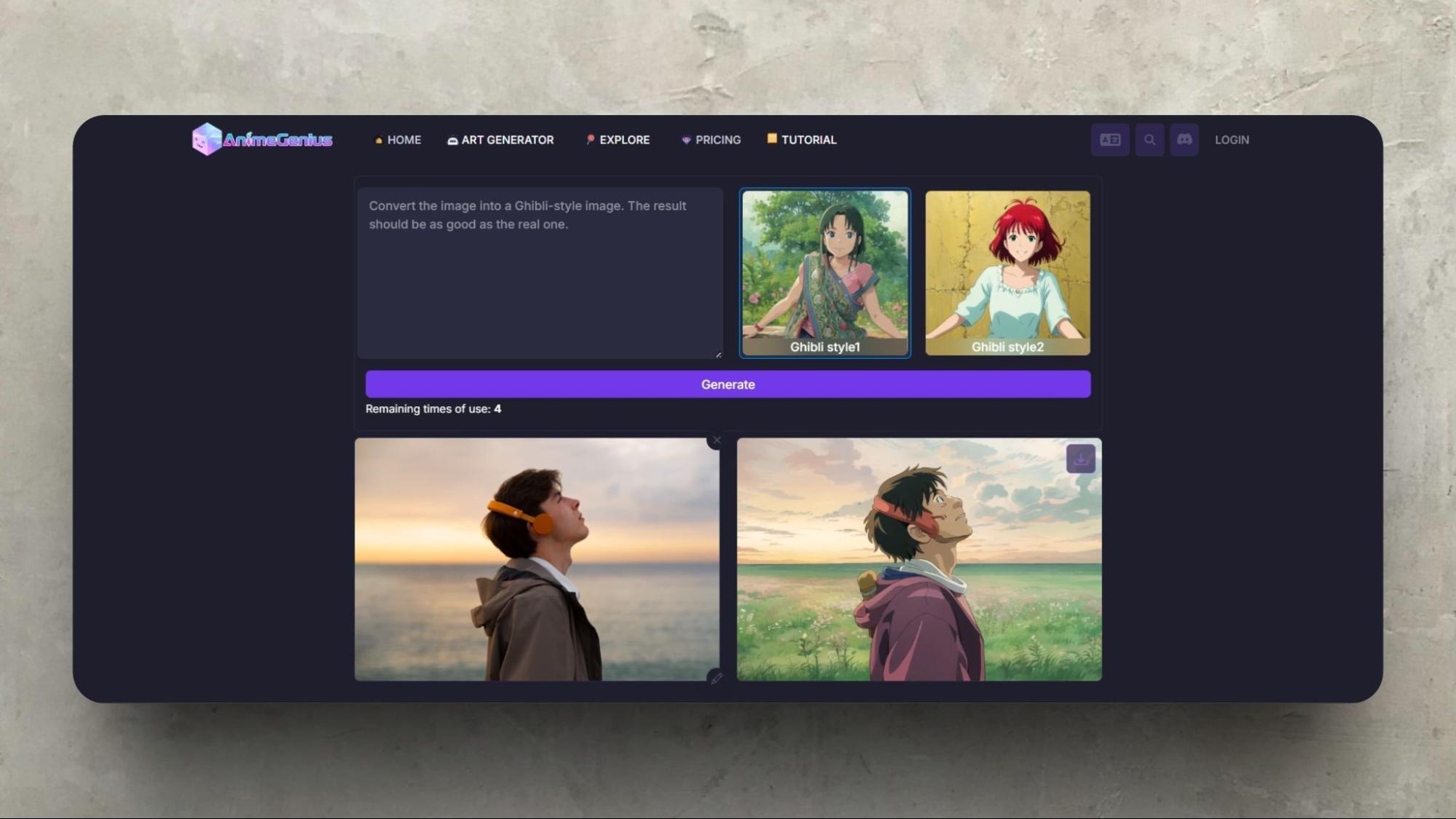
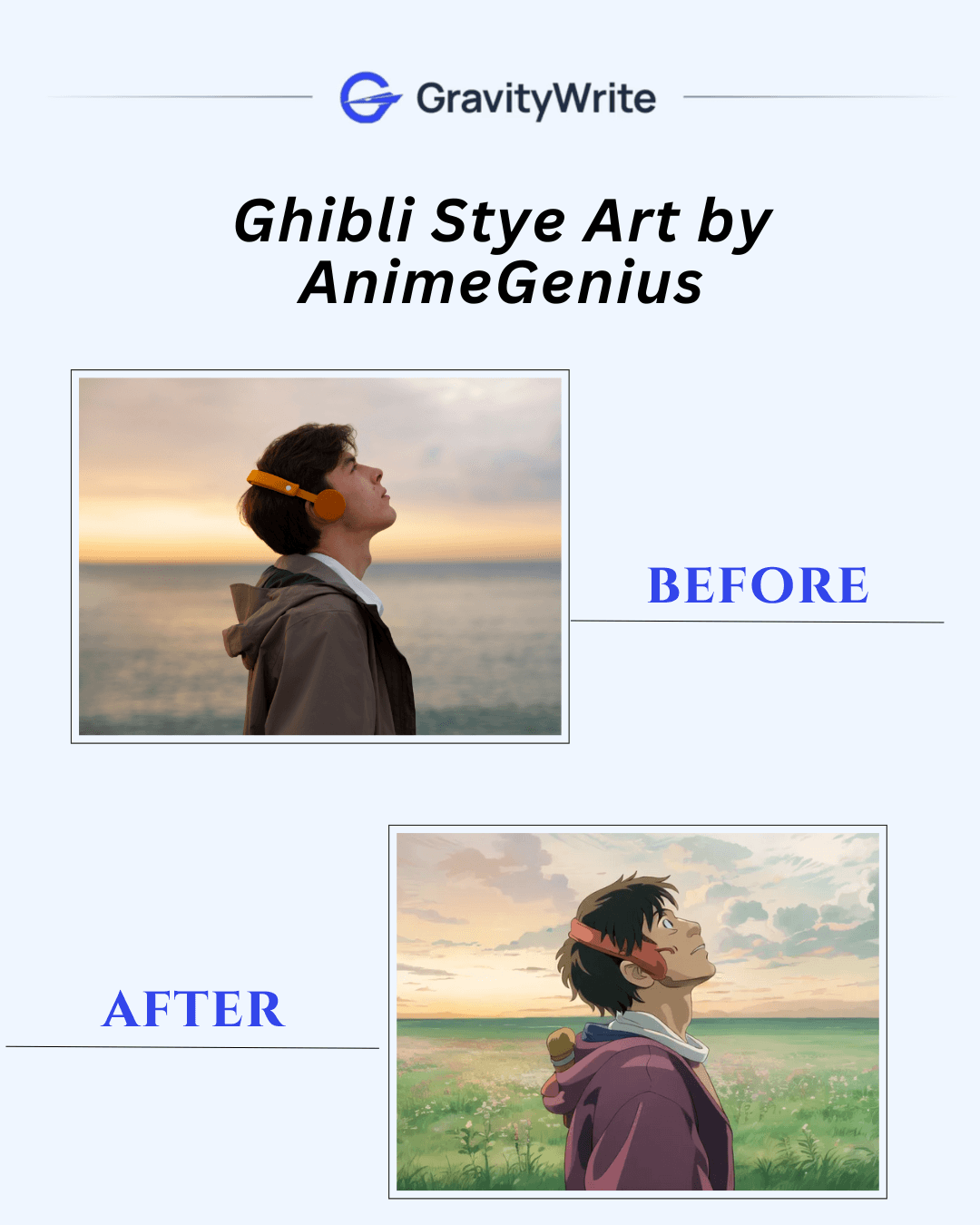
| 6 | AnimeGenius | 100 credits | ✅ | 1 basic Ghibli style | ❌ | Made for anime, casual-friendly | Basic: $9/mo, Plus: $29/mo, Pro: $59/mo |
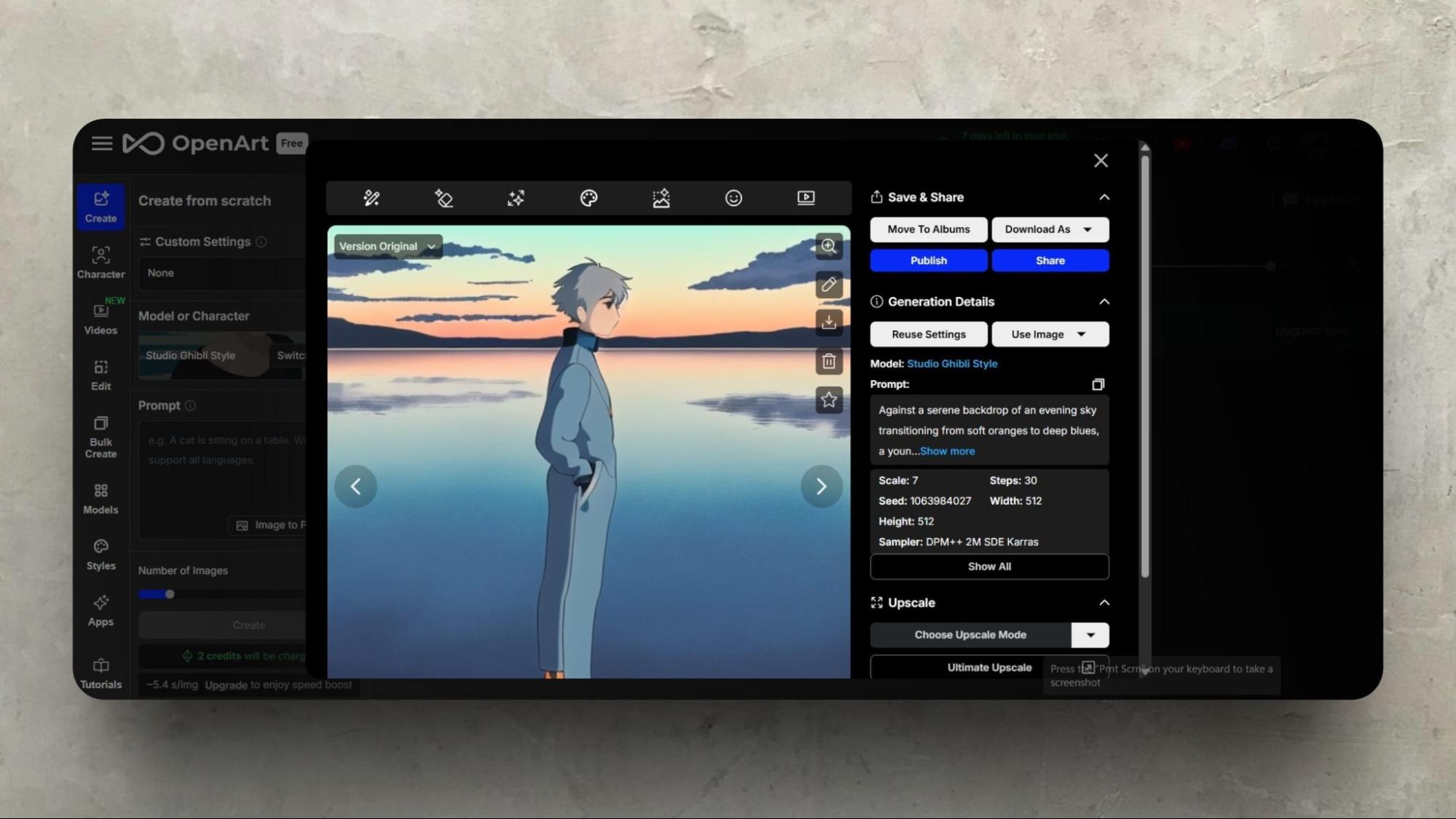
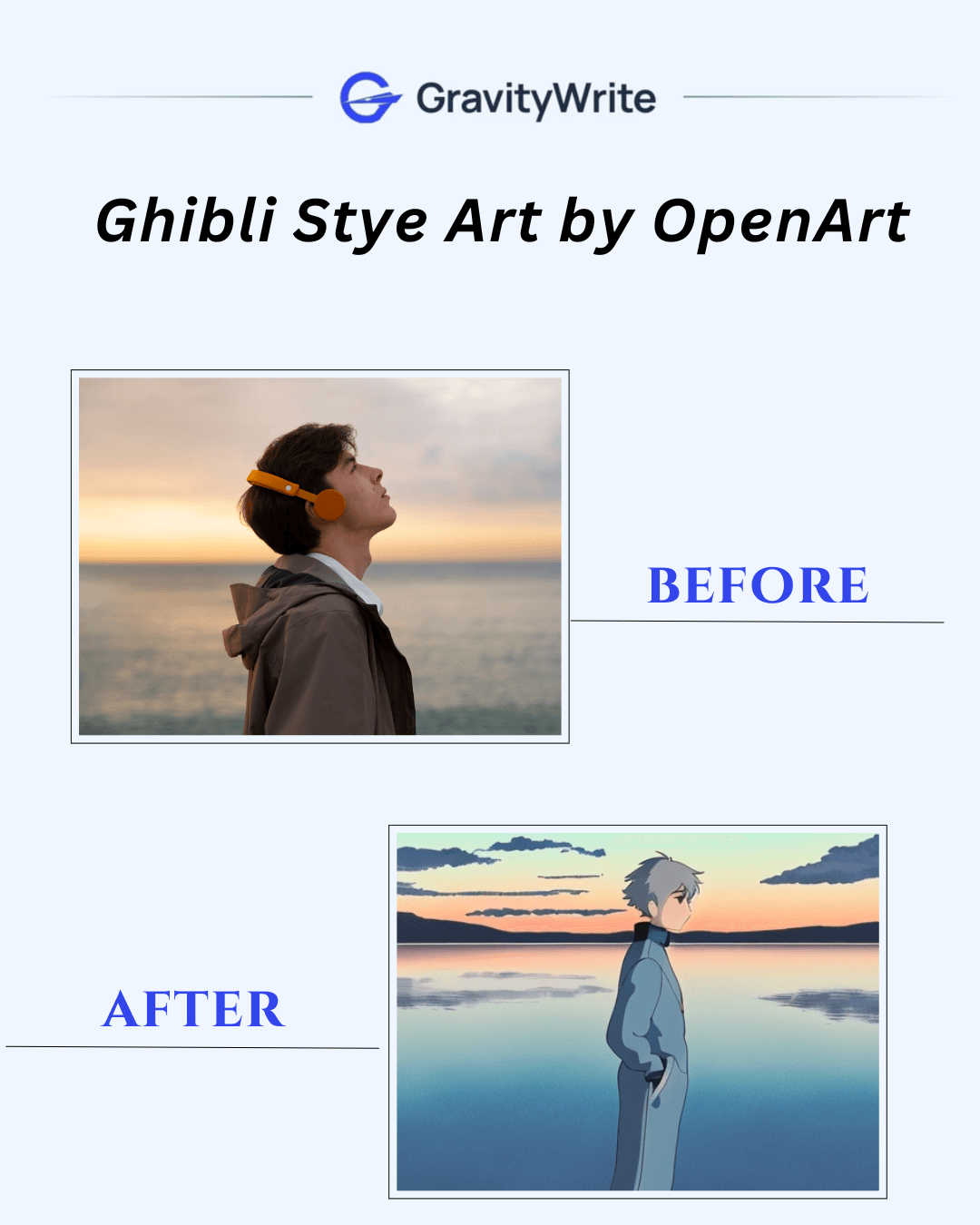
| 7 | OpenArt | 40 credits | ✅ | Indirect (via text prompt) | ❌ | Turns photo into prompt for image gen | Essential: $14/mo, Advanced: $29/mo |
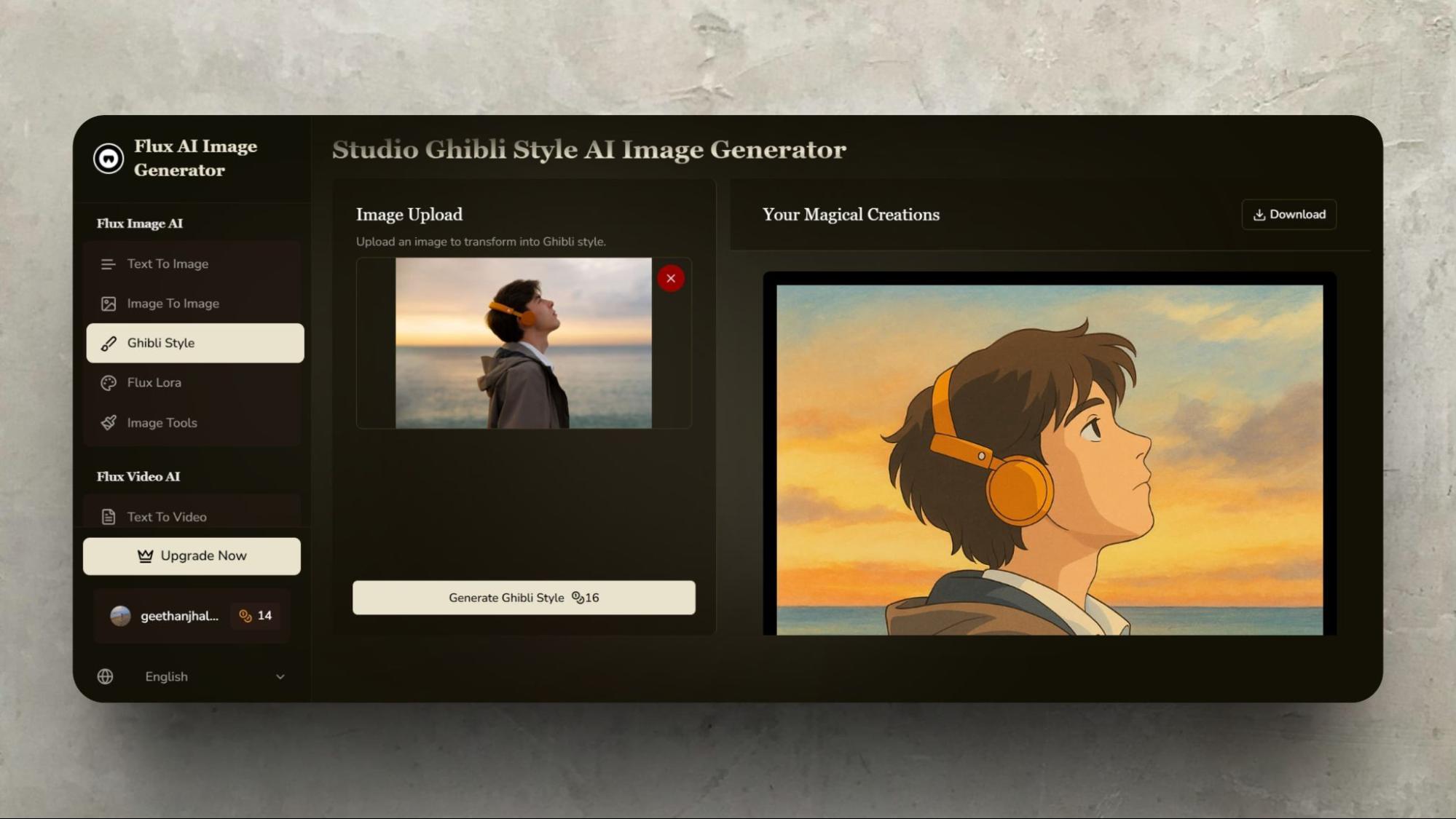
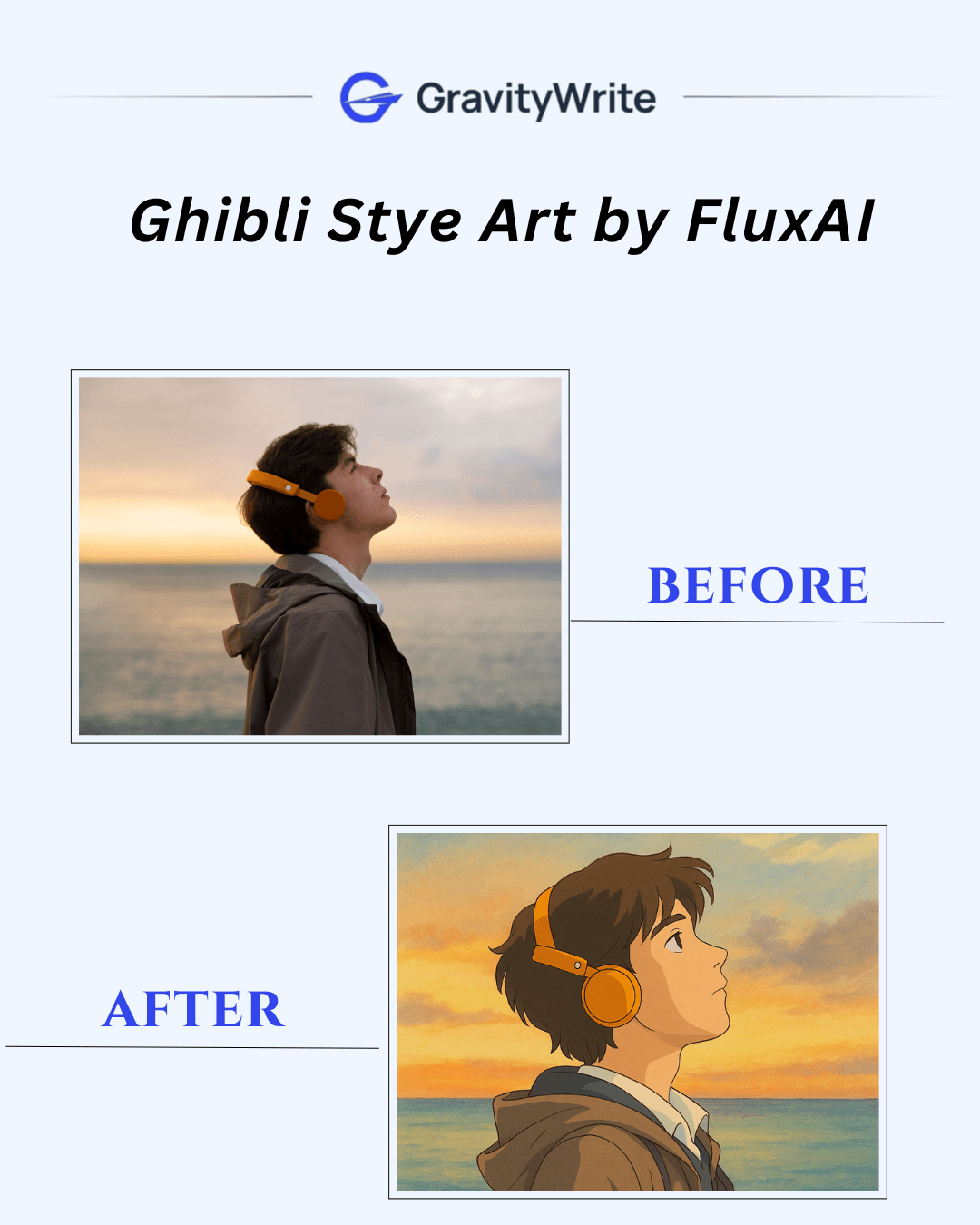
| 8 | Flux AI | 30 credits | ✅ | 1 | ❌ | High-quality output, simple use | Hobby: $12.99/mo, Basic: $24.99/mo, Pro: $37.99/mo |
History of Studio Ghibli & Legends Behind the Scenes
Alright, before we dive into the apps, let's take a moment to discuss why Studio Ghibli-style art feels so distinctive. People often talk about anime, but Ghibli really has its distinct magic. Knowing what makes it special helps us tell the AI what we're actually aiming for:
Hayao Miyazaki, co-founder of Studio Ghibli, is the primary creator behind its distinctive style. He’s known for telling detailed stories, his love for nature and flying, and his creation of strong, independent characters.
Isao Takahata: Takahata, also a co-founder, focused on more realistic and emotionally charged stories, such as Grave of the Fireflies. His influence brought a different, grounded touch to the studio’s work.
Cultural and Artistic Influences:
Ghibli style art blends traditional Japanese art with influences from manga (like big, expressive eyes) and Western animation, especially Disney, known for its smooth and natural character movement.
Studio’s Legacy:
Founded in 1985, Studio Ghibli became famous worldwide with films like Spirited Away and My Neighbor Totoro. Its style has remained true, blending classic hand-drawn animation with subtle digital elements.
What Makes Ghibli Style Art Special?
Have you ever wondered what makes this Ghibli-style art worthy and worthy of this much attention? Here is why:
You know how Ghibli films just nail nature? Forests feel ancient and alive, skies are vast and dramatic, and water looks crisp. It's not just wallpaper; it feels like an important part of the world.
Even though it's animation, the backgrounds often have this warm, hand-painted vibe, maybe like watercolors or soft pencil drawings, it doesn't look cold and computery; those little imperfections charm it. We want the AI to try to copy that' hand-drawn feel'.
They're masters at blending magical elements into normal, everyday scenes. Think spirits chilling in a bathhouse or a witch running a bakery. This makes the fantasy feel cozy and believable.
Ghibli films totally nail the mood, often using light. That soft, sunny afternoon light that feels nostalgic? Or cozy lamp-lit rooms? They use light and often natural or soft colors to make you feel something.
The character designs are usually pretty clean, not overloaded with detail. But man, they show so much emotion, especially through the eyes! It makes them easy to connect with.
The backgrounds are amazing! Rooms look like people actually live in them, and towns feel real. It just pulls you into their world.
Knowing these key things really helps when describing what you want to the AI tools.
8 Free Ghibli Style Art Generators to Try Online
Here are 8 Ghibli AI art generators, with which you can experiment with turning your photos into Ghibli-style art without spending much.
Ghibli AI: Why We Love It (And What to Know)
Creating Ghibli-style art with AI is fun, but it brings up some interesting things to consider:
Respecting Artists & Staying Legal (Ethics & Copyright)
It feels magical to create images that resemble Studio Ghibli's style, but remember, real artists worked for decades to develop that distinctive look. AI learns by looking at its work (and tons of other art). So, while using AI for personal enjoyment is usually acceptable, be cautious about using these AI-generated images commercially (such as selling them or using them extensively in business).
The rules around AI and copying famous styles are still being figured out, and using a look so closely tied to Studio Ghibli for profit can be legally tricky. It's good practice to appreciate the human talent behind the original style.
Is AI Art Truly Original?
When AI makes something in the Ghibli style, is it creating something brand new? It's a big question! The AI isn't having its ideas like a human artist would; it's cleverly remixing patterns it learned from all the Ghibli art (and other images) it was shown. So, while the specific picture might be unique, the style is borrowed. It's more like a highly skilled imitation than pure originality.
Why Do People Love Ghibli AI Art So Much?
So why is the Ghibli art AI trend so popular compared to other styles? A big part is pure nostalgia and love for the films – it feels good to recreate that magic. Additionally, the Ghibli aesthetic itself is beautiful, whimsical, and often calming, resulting in truly lovely images. AI also makes it accessible; suddenly, anyone can capture a bit of that Ghibli feeling in their pictures, even without traditional art skills. It's a mix of familiarity, beauty, and creative empowerment.
1. ChatGPT
2. Fotor

3. insMind
4. Clipfly
5. Remaker AI
6. AnimeGenius
7. OpenArt
8. Flux AI
Quick Tips for Better Ghibli AI Art
Want to get the most out of these AI tools when stylizing your photos? Here are a few helpful pointers:
Start with a Solid Photo: Give the AI a good foundation! Clear, well-lit pictures generally produce better results. If the original is blurry, too dark, or has an extremely cluttered background, the AI may struggle to identify what's important. A clean shot with a clear subject usually helps the AI apply the new style more effectively.
Use Descriptive Prompts (If Possible): Many AI tools let you type instructions (prompts) and upload your image. Don't skip this if it's available! Be specific about the style and mood you want. Instead of just making it art, try adding keywords that describe the look, such as "watercolor texture" or "soft lighting." The more descriptive you are, the better the AI can understand your goal.
Find the Right Balance: Some tools allow you to adjust the intensity of the Ghibli look. If yours does, try playing with that setting! You want the style to be obvious, but not so overpowering that you can no longer recognize it as your photo. Experiment with it until it looks satisfactory to you.
Don't Underestimate Simple Touch-Ups: Utilize the tool's built-in basic adjustments to fine-tune your settings. Consider adjusting the brightness, boosting the colors slightly, or adding a subtle vignette to enhance the mood. These final touches can significantly enhance the outcome.
Manage Expectations & Have Fun: AI is amazing, but it's not yet perfect. Sometimes it generates slightly unusual results – odd details and strange blends. While you can always try again with different settings or photos, remember it's also an experiment! See what the AI comes up with, enjoy the process, and don't get too frustrated if it's not exactly right every single time.
Conclusion: Your Ghibli AI Adventure Starts Now!
And there you have it – 8 accessible, free Ghibli-style art AI image editors ready for you to explore online right now.
Transforming your personal photos into beautiful Ghibli images is no longer a complex dream. With tools ranging from versatile editors like Fotor and Picsart, you can easily upload a picture and convert it to Ghibli style.
Whether you want a magical portrait or an adorable pet picture, or want to convert your picture into Ghibli, the power is right there in your browser.
If you're looking for a powerful, user-friendly tool with a huge range of styles, you should definitely explore GravityWrite's AI Image Generator.
It's designed for both ease of use and stunning results, offering over 16 distinct image styles and more than 70 unique sub-styles.
Step up your AI art game and bring even more complex ideas to life without the constraints.
What are you waiting for? Go ahead, pick a tool, upload a photo, and start creating your little piece of AI-powered Ghibli magic today!
Unleash your full creative potential!
RELATED READS:
Still curious? Read through these Ghibli AI Art FAQs!
1. Can these tools perfectly replicate the Ghibli style in my photo?
They can get impressively close visually! Expect the colors, linework, and general vibe, but maybe not the exact emotional depth or subtle textures of true Ghibli art.
2. Which free tool is best for converting Ghibli photos?
It depends! Fotor or Picsart are easy all-rounders. Getimg.ai might offer better-tuned anime models. Cutout.pro is good for cartoon selfies. Experiment to see which suits your photo and taste!
3. Do I need to sign up for these free tools?
Often, yes. Most require a free account signup to use the AI features and save or download images, even with watermarks or limits.
4. Will the AI make me look exactly like a Ghibli character?
It will apply the style. It should still resemble you, but rendered with the simplified features, colors, and lines typical of the Ghibli aesthetic. Likeness accuracy varies by tool.
5. Can I use these Ghibli-style photos commercially?
Generally, no, especially not with free tier outputs (watermarks, licensing). Even without watermarks, using an AI-generated image mimicking a specific studio's style for commercial purposes is legally risky. Personal use is safer.
6. Can I convert landscape photos or just portraits?
Most tools are also suitable for landscapes. The effect might be different, focusing more on color palette, texture, and atmospheric lighting rather than character features.
7. What if the Ghibli style looks weird in my photo?
Try a different photo (with a simpler background and better lighting). Experiment with different style filters within the tool. Adjust intensity if possible. Sometimes, AI just produces quirky results!
8. Is Ghibli-style free?
Most Ghibli AI generators follow a freemium model, allowing you to use the tool for free with a few limitations. Upgrading to the paid version will give you access to more advanced features and limits.


stay in the loop